
Европейская версия -4G маршрутизирующий модуль AF-791 Aleca специальный 4G модуль для безопасности мониторинга
Offer ID: 918122246586
Оформить заказ
| Изображение | Спецификация | Цена (CNY / RUB) | В наличии | SKU ID | Кол-во / Корзина |
|---|---|---|---|---|---|
📦 | AF-791-EU | 1шт: ¥195.00, 100шт: ¥175.00 | 197 | 5816350480279 |
Статистика продавца
Свойства товара
Описание товара
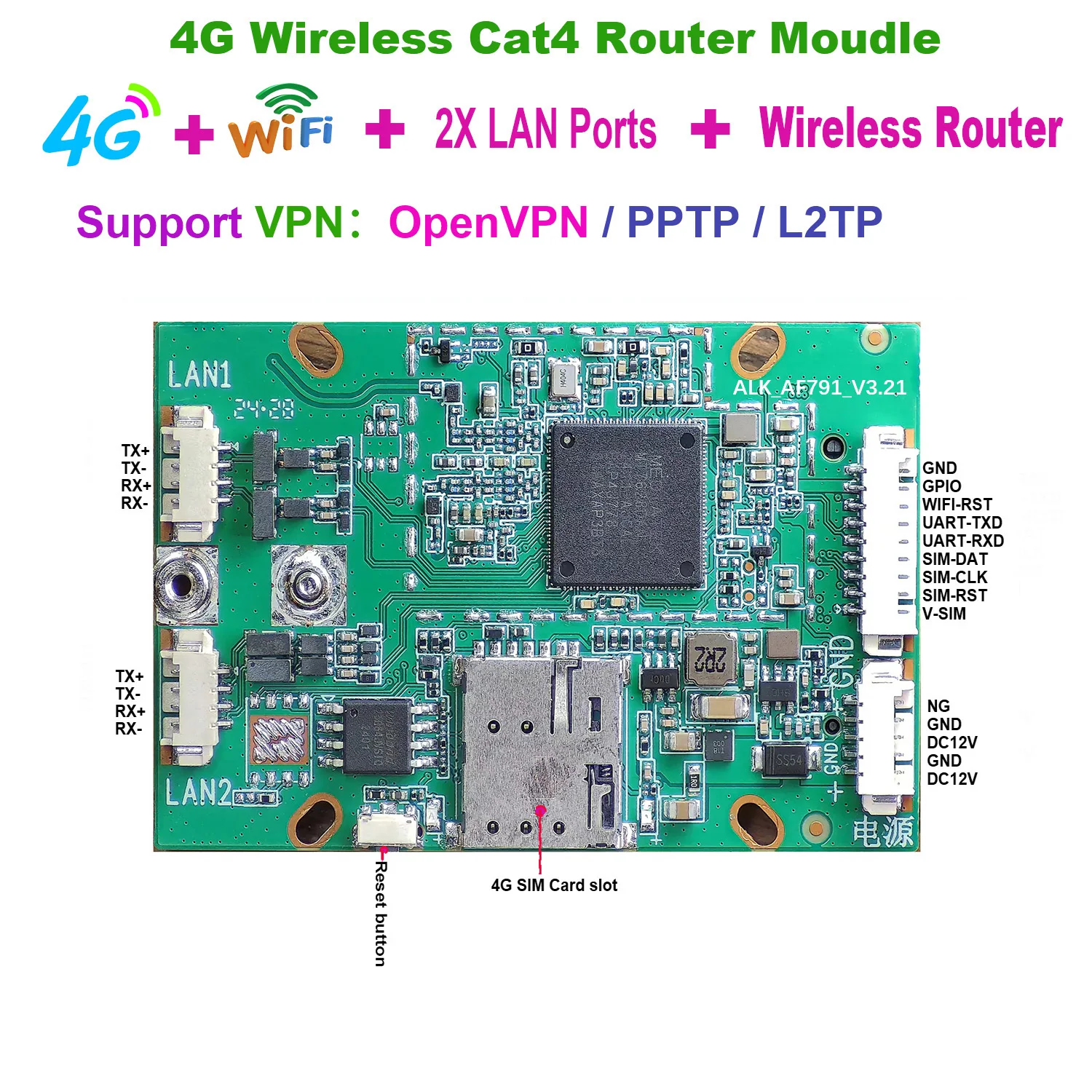
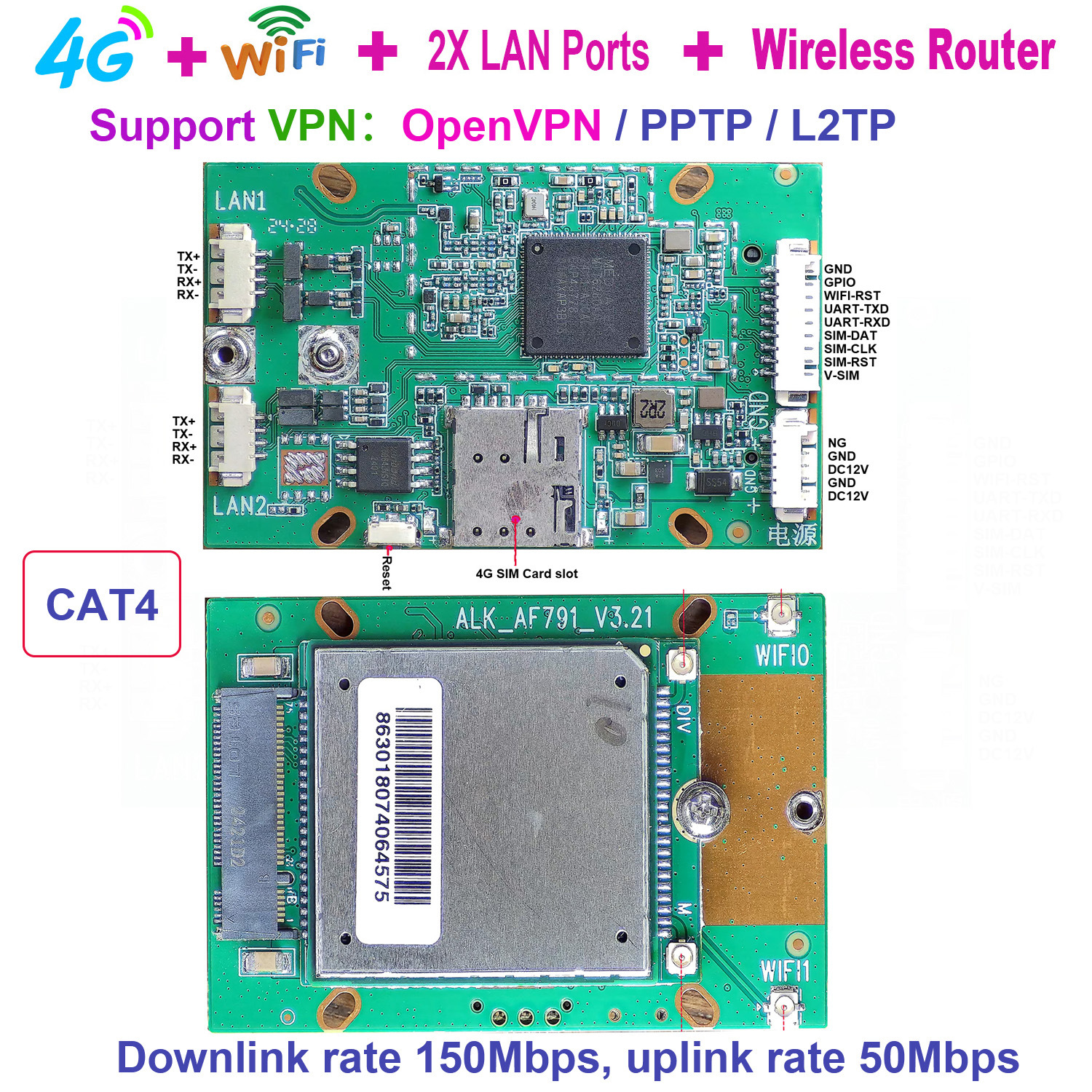
This is a wireless 4G routing module that supports 4G wireless connections and routing functionality. You only need to insert a 4G SIM card to connect to the Internet, and users can connect to the Internet by connecting to the WIFI of the 4G module. And it can achieve a downlink speed of 150Mbps and an uplink speed of 50Mbps. It is a simple and easy-to-use 4G router module.
Basic parameters The parameters of the AF791 module are as follows Table 1:
|
project |
description |
|
|
product name |
AF791 |
Security router module |
|
structure |
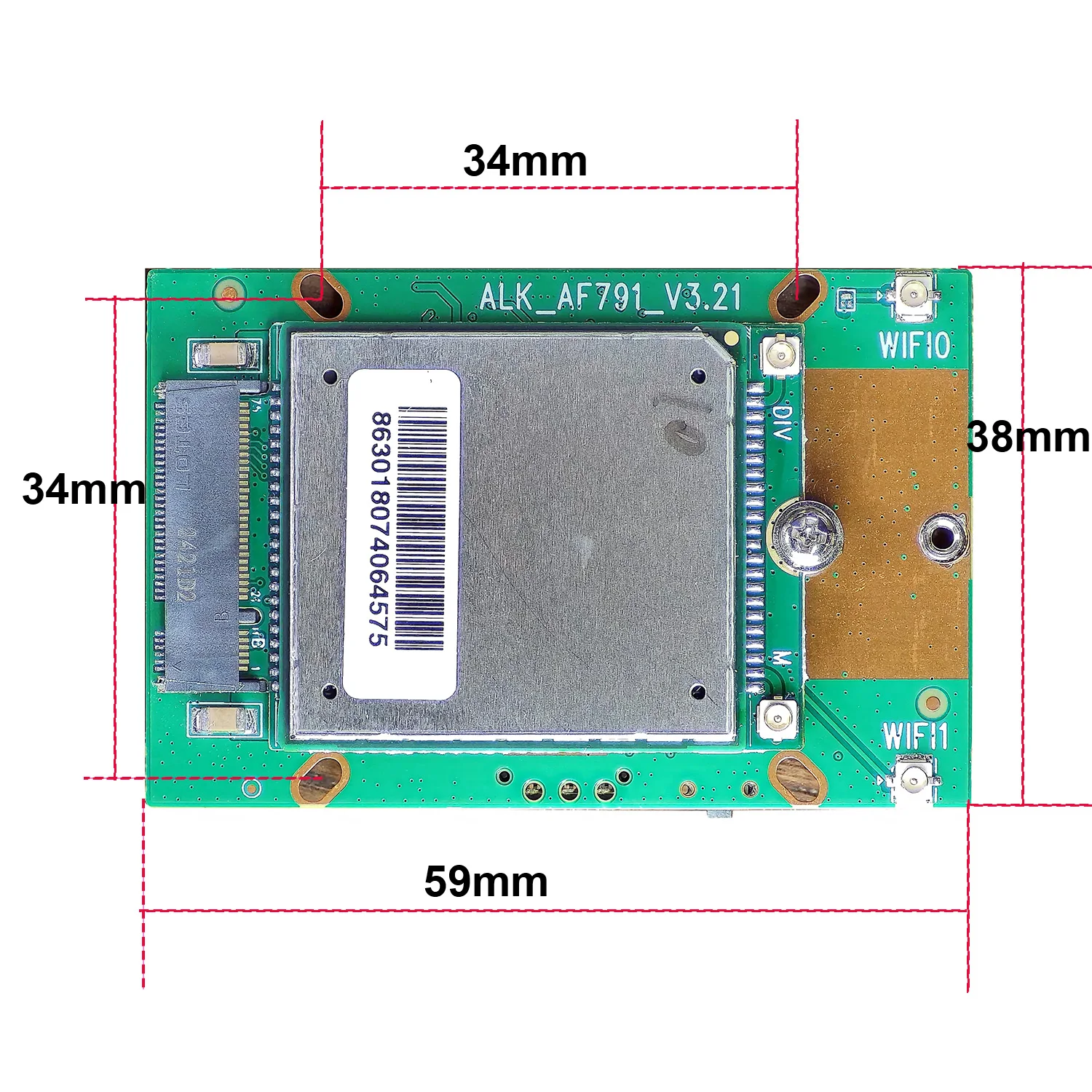
Product Size |
58 mm x 38 mm x 10.5 mm |
|
Wired network port |
2x LAN |
LANx2 |
|
Network port rate |
10/100Mbps,Auto MDI/MDIX |
|
|
WiFi |
WiFi LAN |
Support 802.11b/g/n |
|
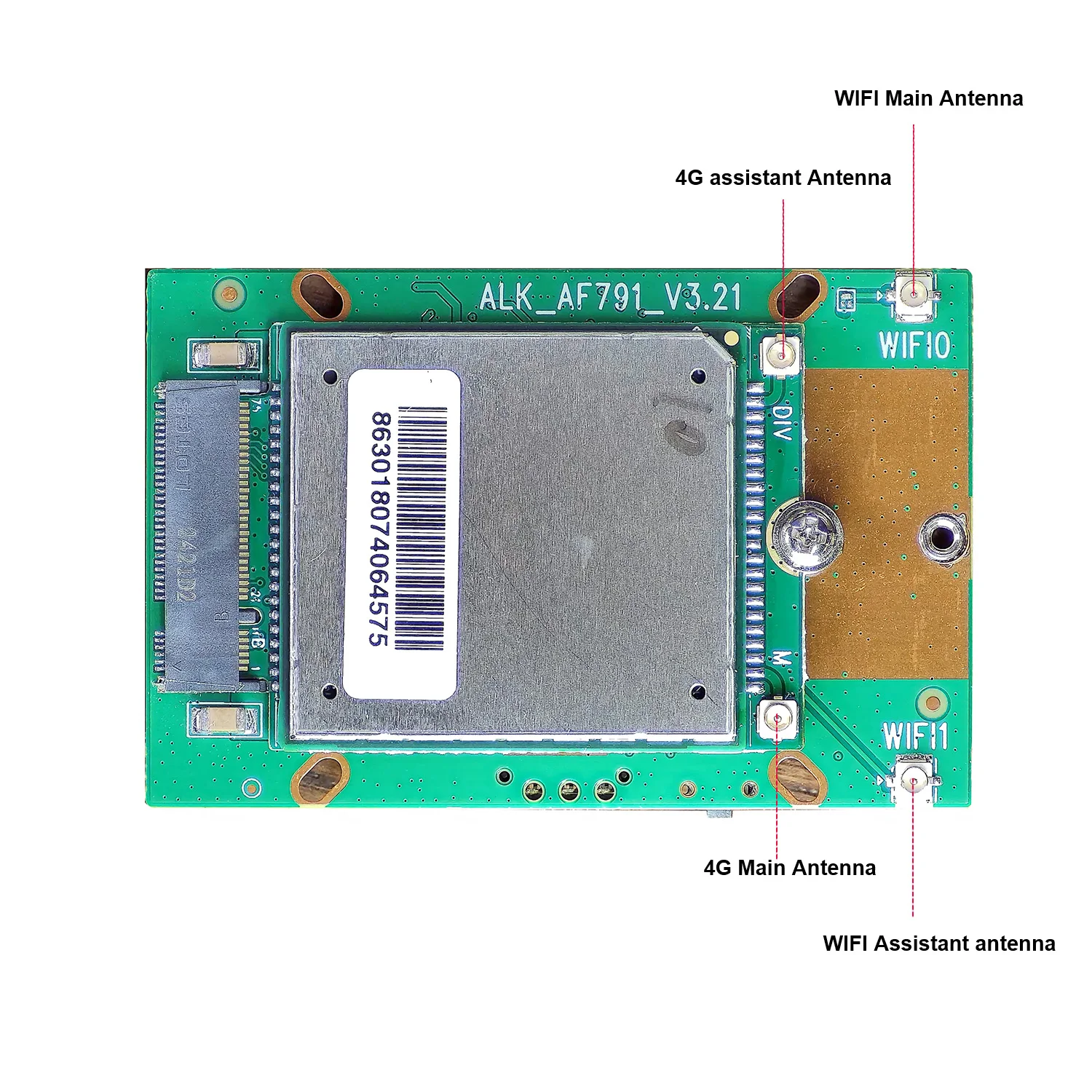
Antenna |
I-PEX+antenna |
|
|
Coverage distance |
Open area 30 meters |
|
|
SIM卡 |
SIM card |
Nano-SIM |
|
antenna |
I-PEX+antenna |
|
|
Button |
Reset button |
One |
|
LED |
LED status |
Power、WiFi |
|
Power |
|
DC12V |
|
Frequency band information |
FDD-LTE |
Downlink rate 150Mbps, uplink rate 50Mbps |
|
Band 1/3/5/8 |
||
|
TDD-LTE |
Downlink rate 150Mbps, uplink rate 50Mbps |
|
|
Band 38/39/40/41 |
||
|
WCDMA |
Downlink rate 21Mbps, uplink rate 5.76Mbps |
|
|
Band 1/5/8 |
||
Wireless network status setting The default parameters of the wireless,WiFi function are as follows, and the settings take effect immediately.It is not recommended to use WIFI for industrial data transmission.Only recommended for device parameter,configuration or short-distance data transmission. Table2:
WiFi default,parameters:
|
Default parameter |
Parameter value |
|
SSID name |
MIFI_XXXX |
|
Wireless password |
1234567890 |
|
Channel |
automatic |
|
Frequency band |
2.4G |
|
Encryption method |
WPA2(AES)-PSK |
Interface Overview:
Table 2: Interface and Status Indicator Description
|
NO. |
icon |
Function |
|
1 |
power interface |
Module power supply interface, power |
|
2 |
Work light 1 |
After the module is turned on and |
|
3 |
Work light 2 |
Insert the Nano SIM card, and the |
|
4 |
SIM card slot |
Insert the Nano SIM card for |
|
5 |
USB interface |
Connect to the computer for debugging |
|
6 |
Network interface |
Provide wired data transmission for |
|
7 |
GPIO+ Serial port |
GPIO and serial debugging interface |
|
8 |
reset key |
Press and hold the reset button for 5 |
Functional Block Diagram:
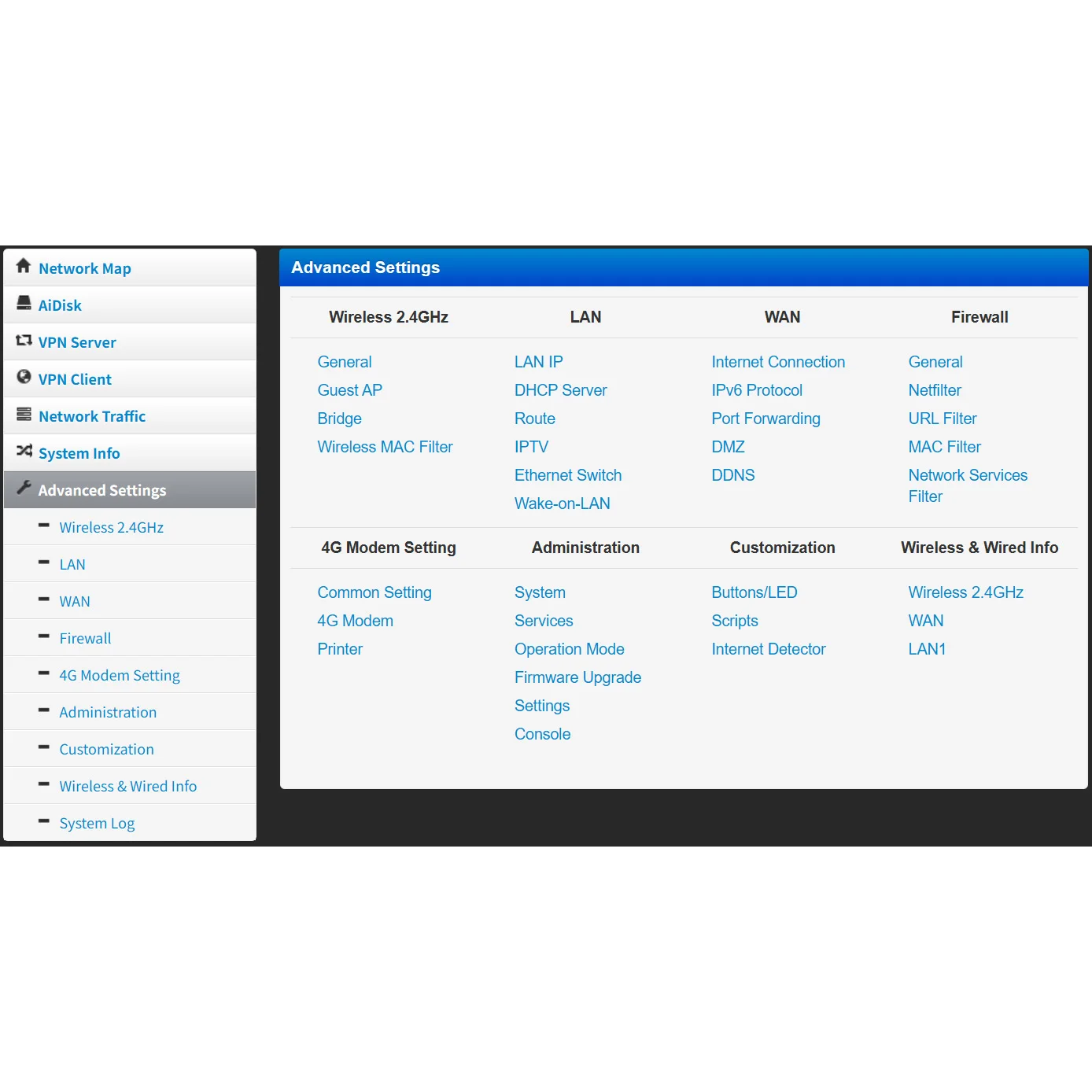
Figure 2 FunctionalBlock Diagram
UI Introduction The device supports webUI function. After successfully connecting the device to a computer or mobile phone, enter 192.168.2.1
in the browser address, enter the password admin, and then click to confirm login; There is a language selection in the upper right corner, which defaults to Chinese and supports English.

After logging in, you can make a series of settings for the router.
1) Home page: Display device connection status, signal strength, operator, card status, WiFi access count, IP address, software version, etc.
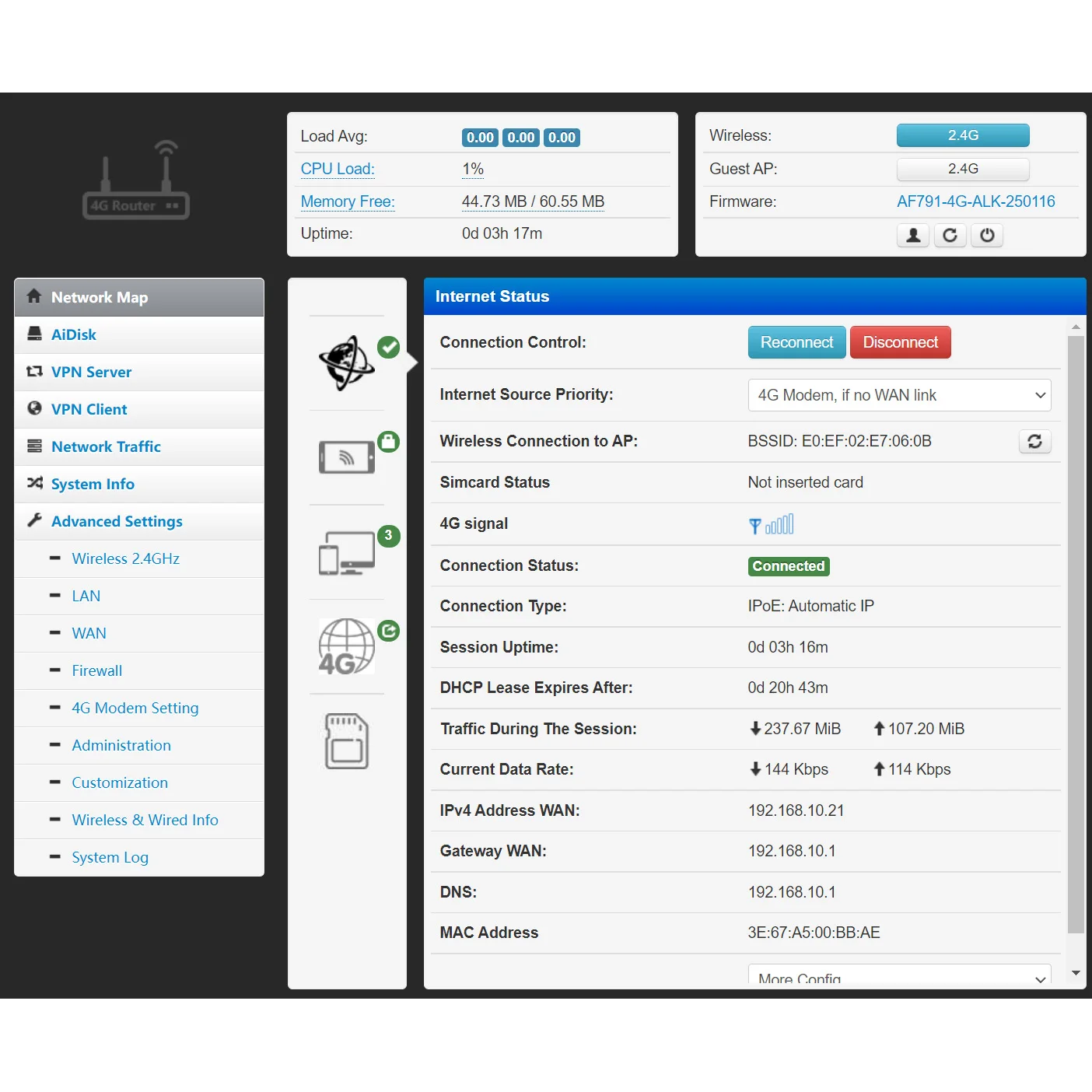
2) Internet Source Pioity:

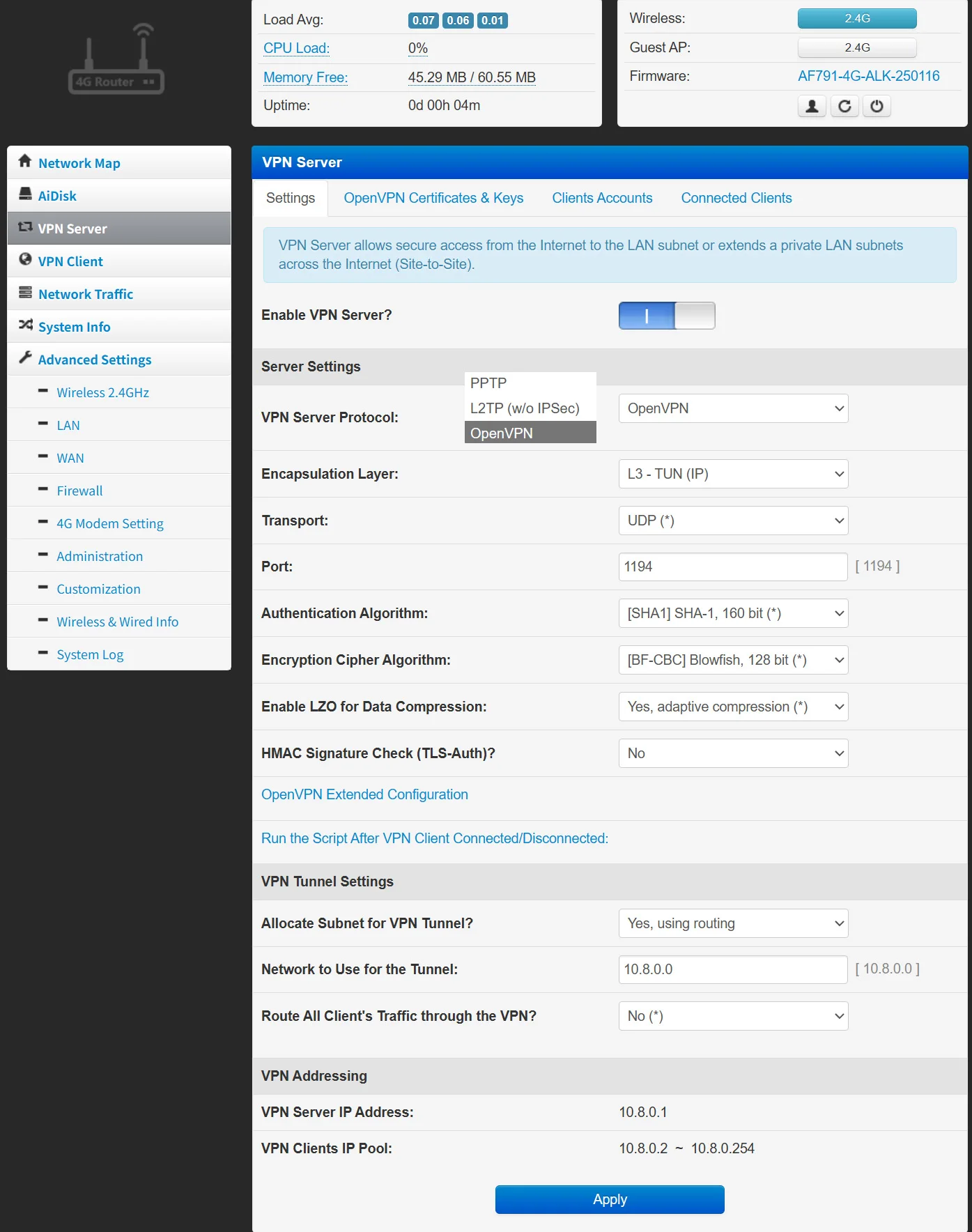
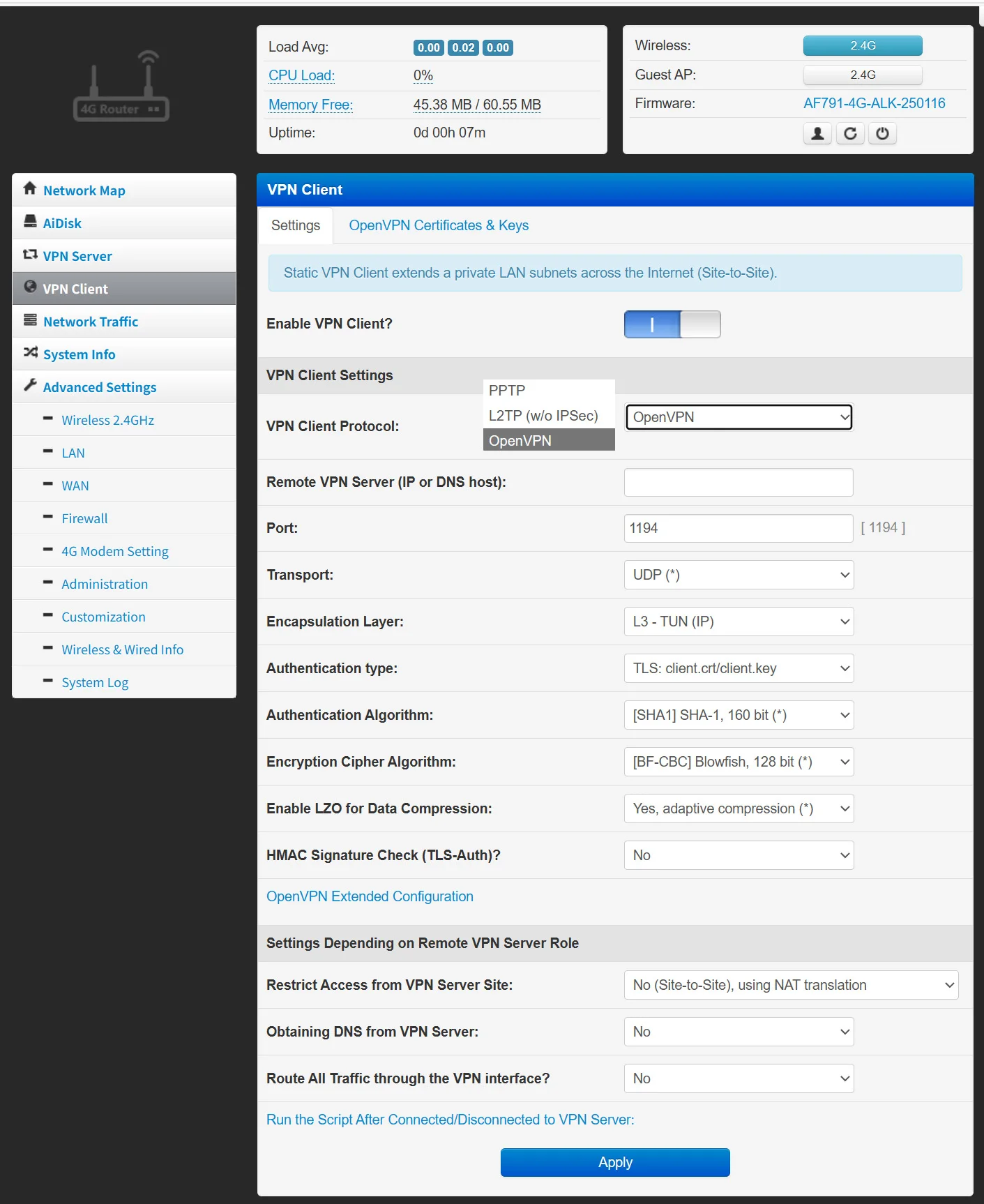
3)VPN setting:
4)4G Routher Advanced Settings:
Support Wireless/LAN/WAN/Firewall/4G modem/Administration/Customization/Wireles/Wired Setting
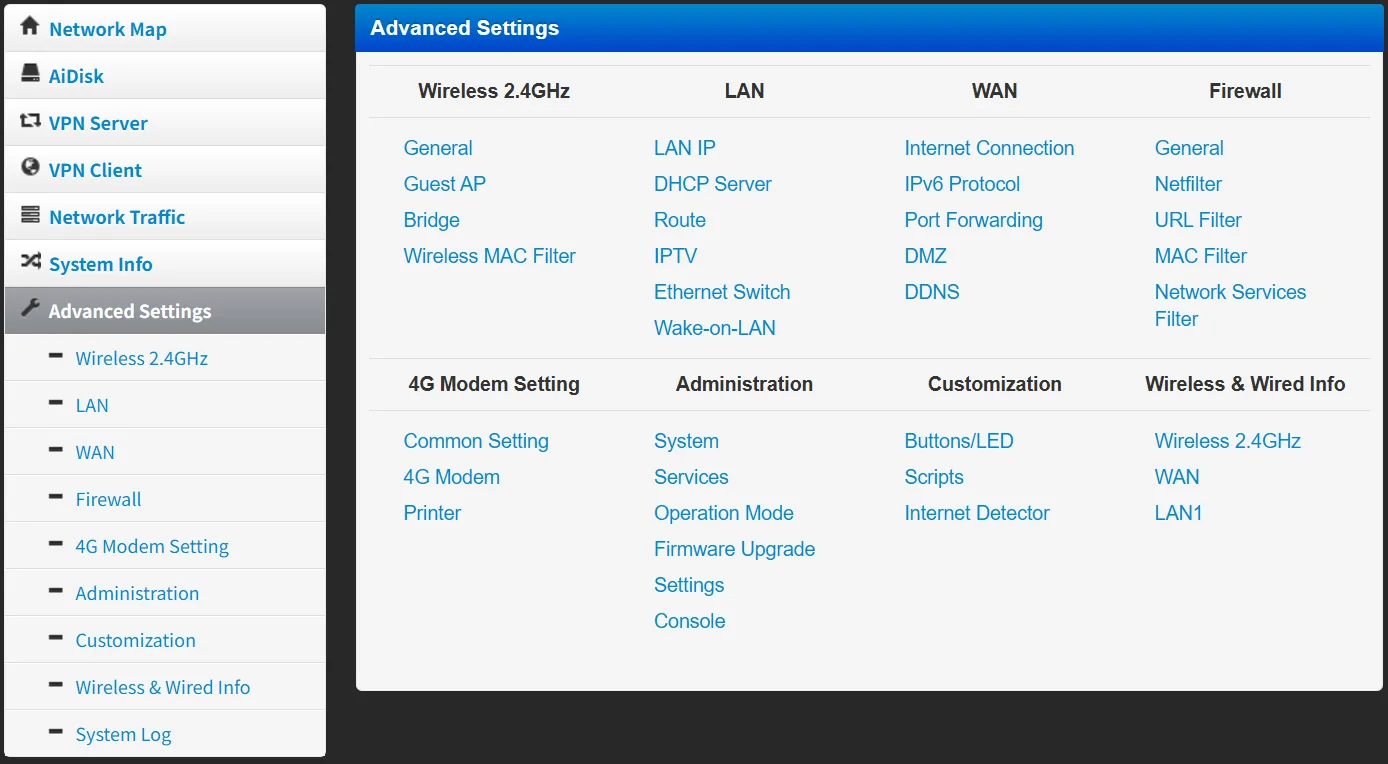
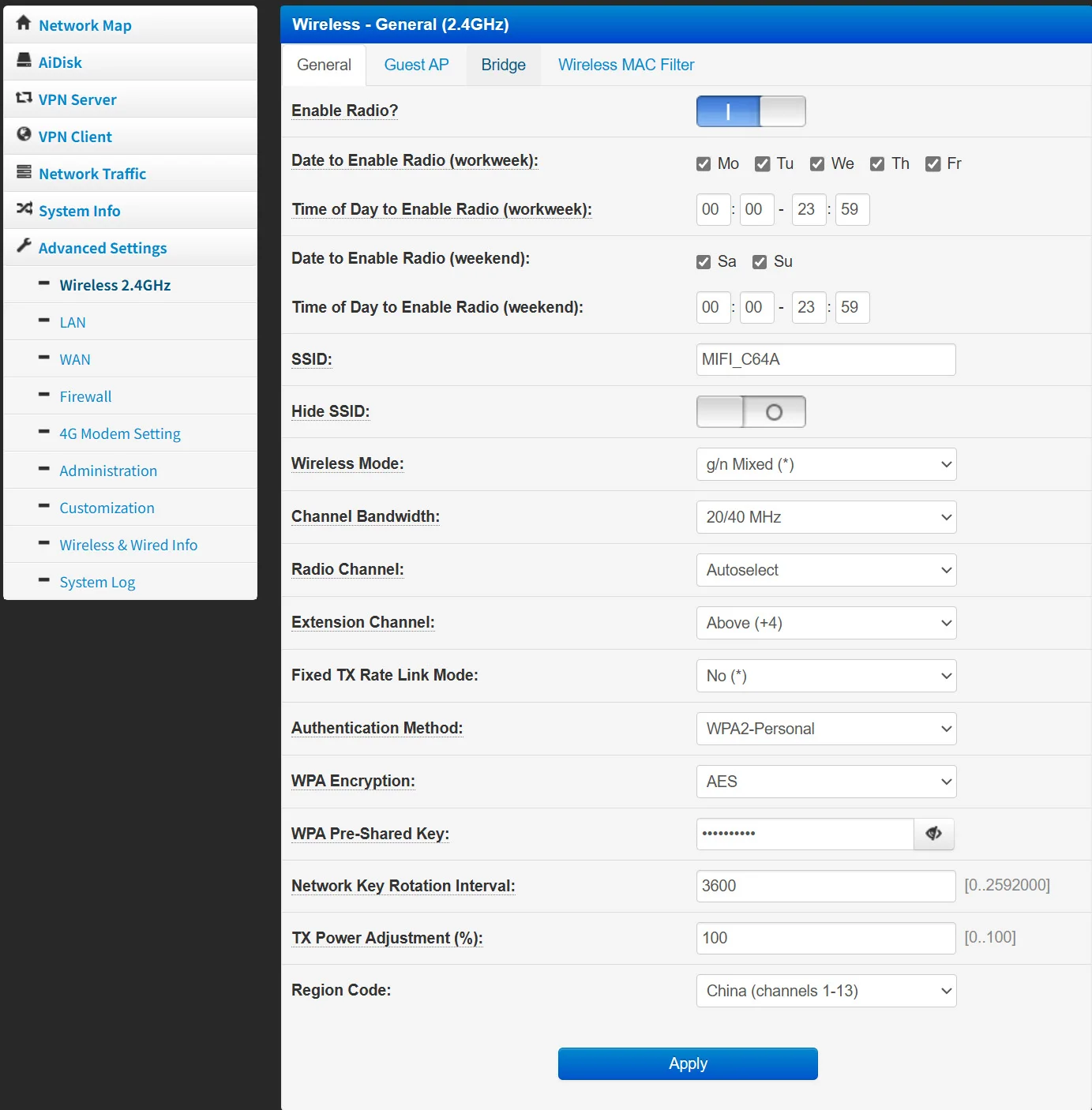
5)Wireless 2.4GHz setting:Support the setting of wireless WIFI name, frequency band, encryption method, and password login. Support parameter settings in AP mode, wireless bridging modes (AP Client, WDS bridge, WDS repeater, AP Client+AP), MAC Filter Model, and more.
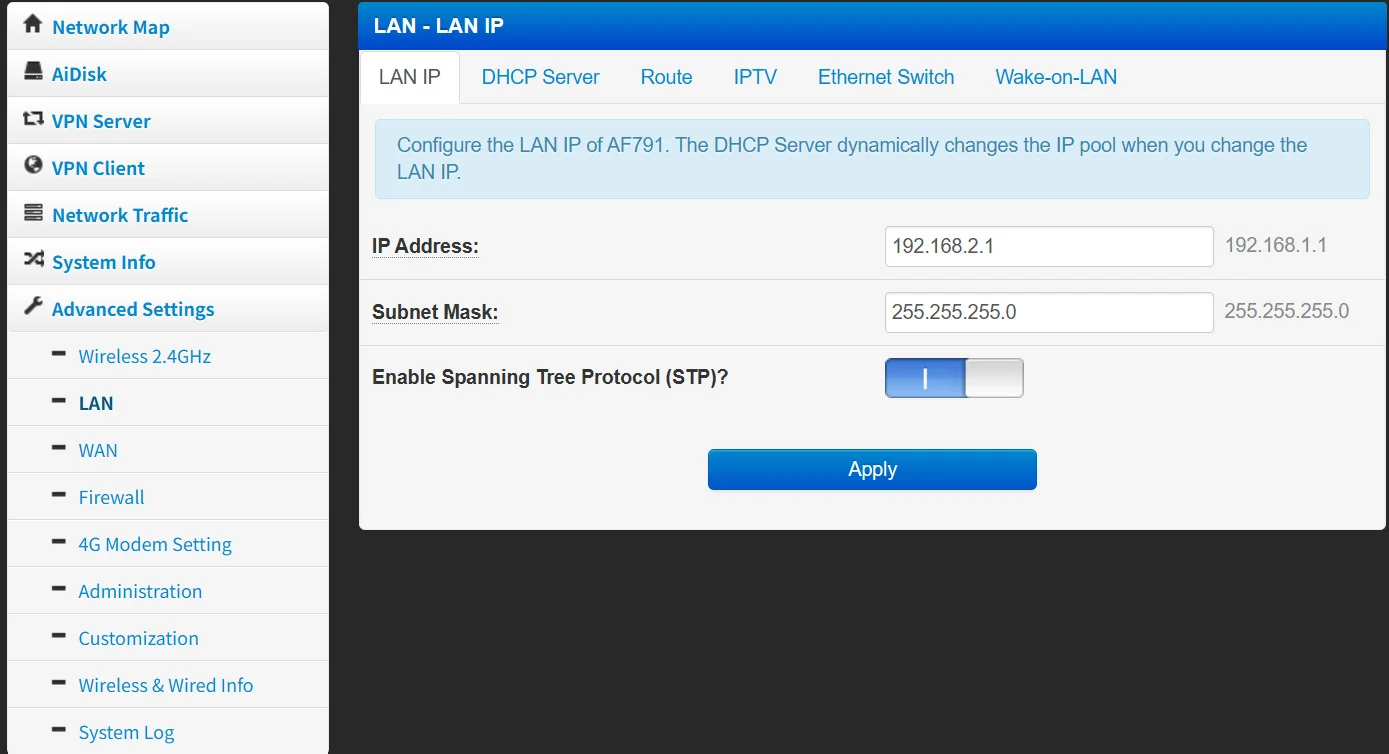
6) LAN:Support LAN IP, DHCP Server, Router, IPTV, Ethernet Swithch, Wake on LAN and other settings
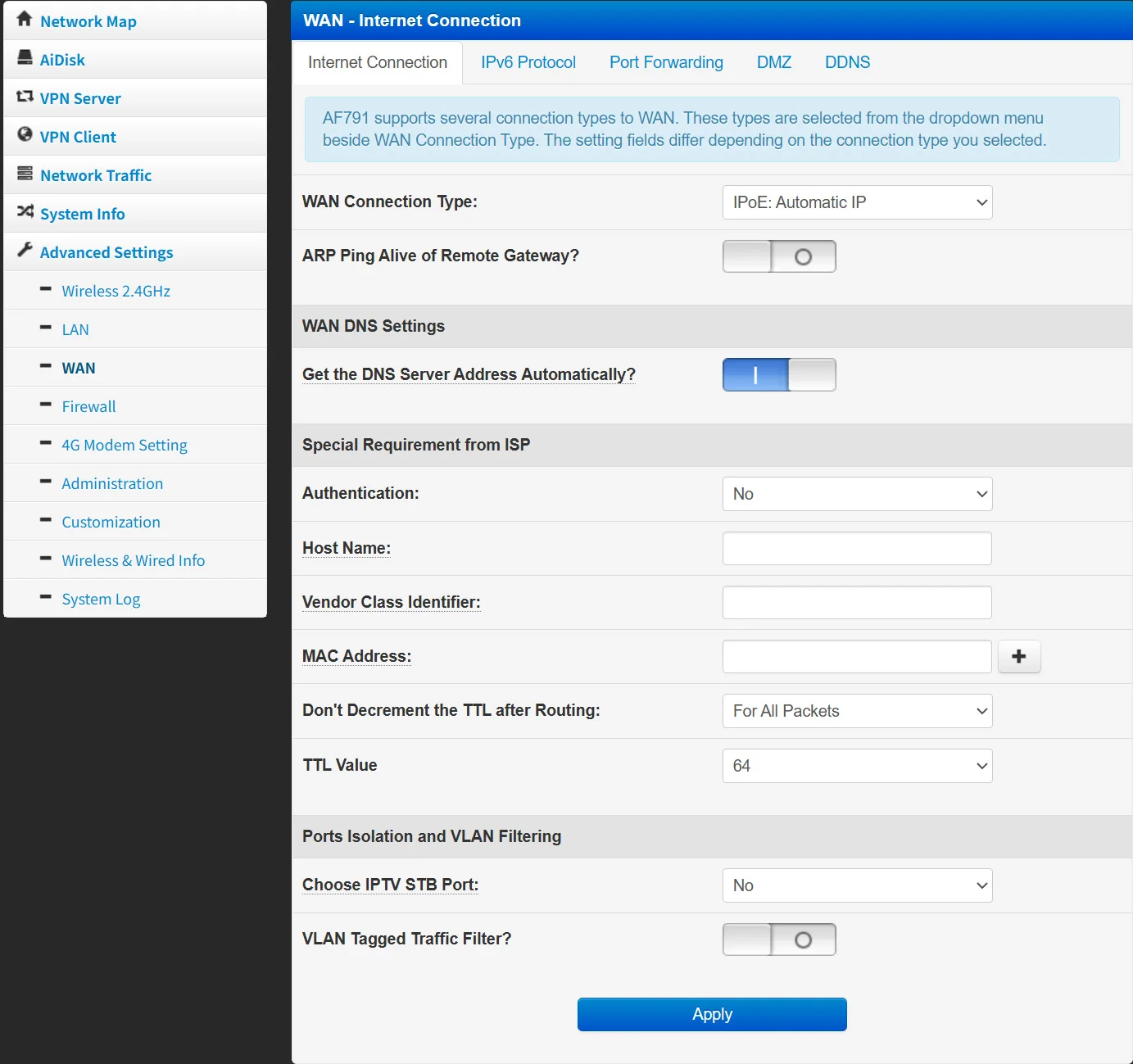
7)WAN Setting
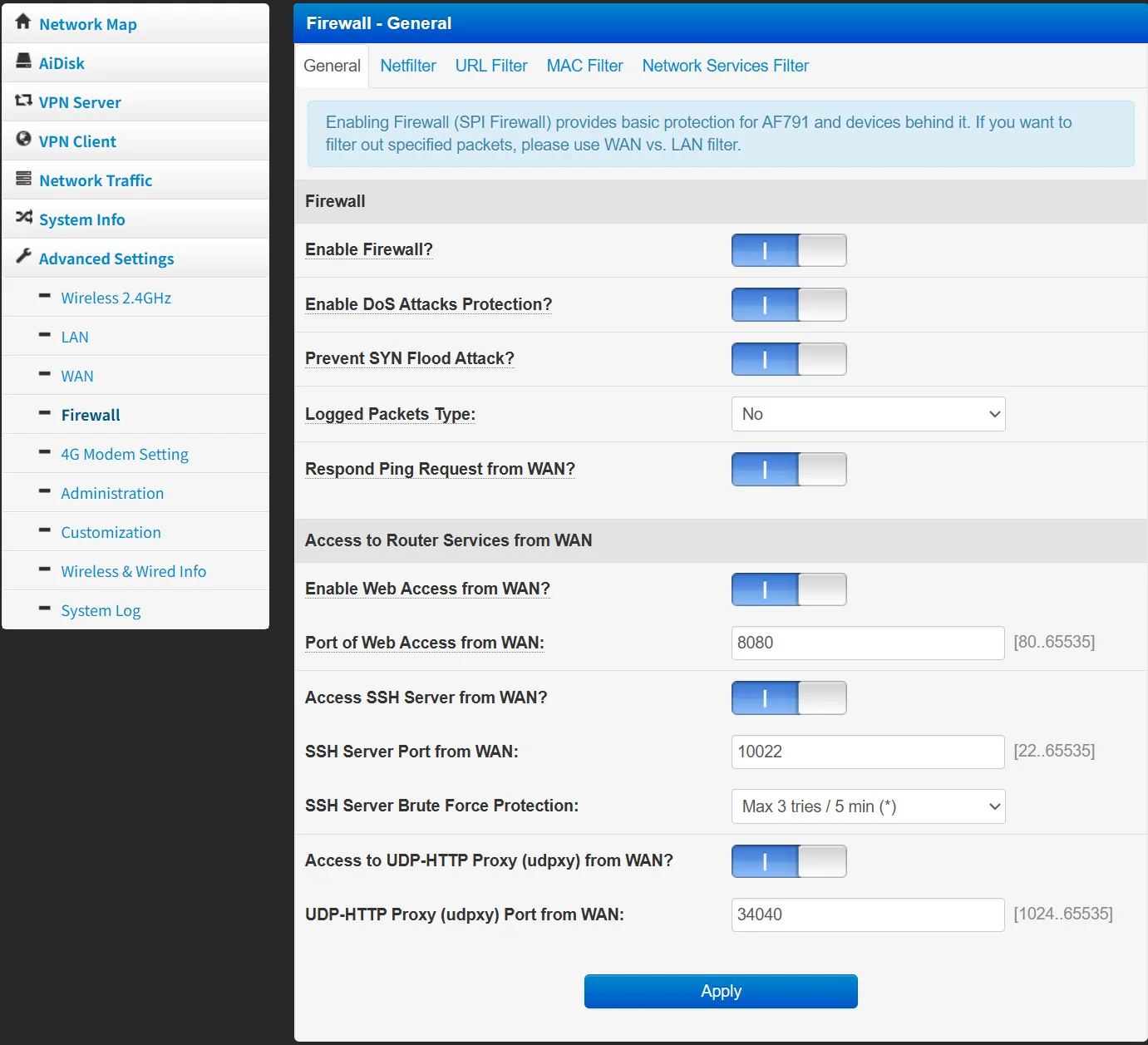
 8)Firewall Setting
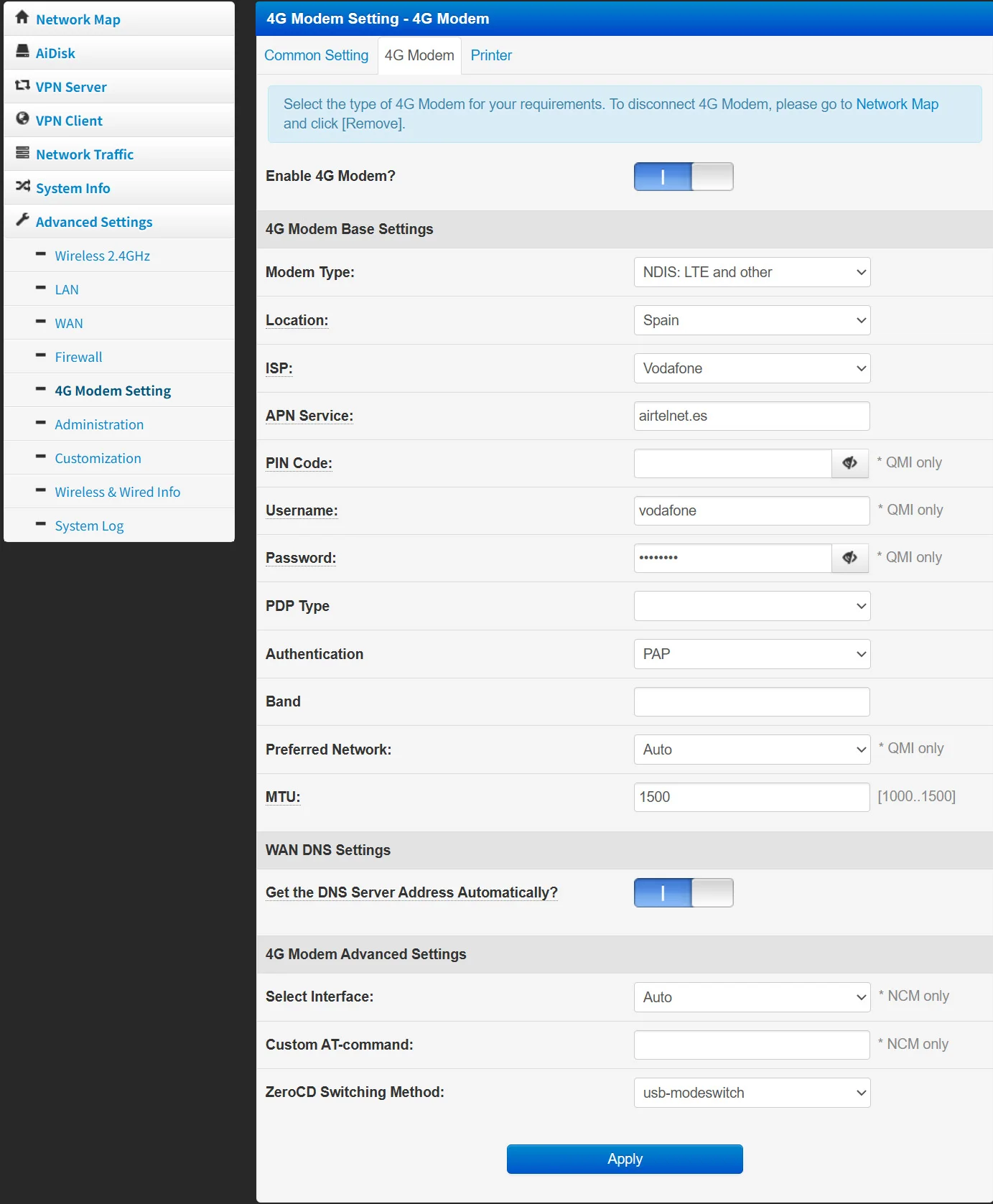
 9)4G Modem Setting
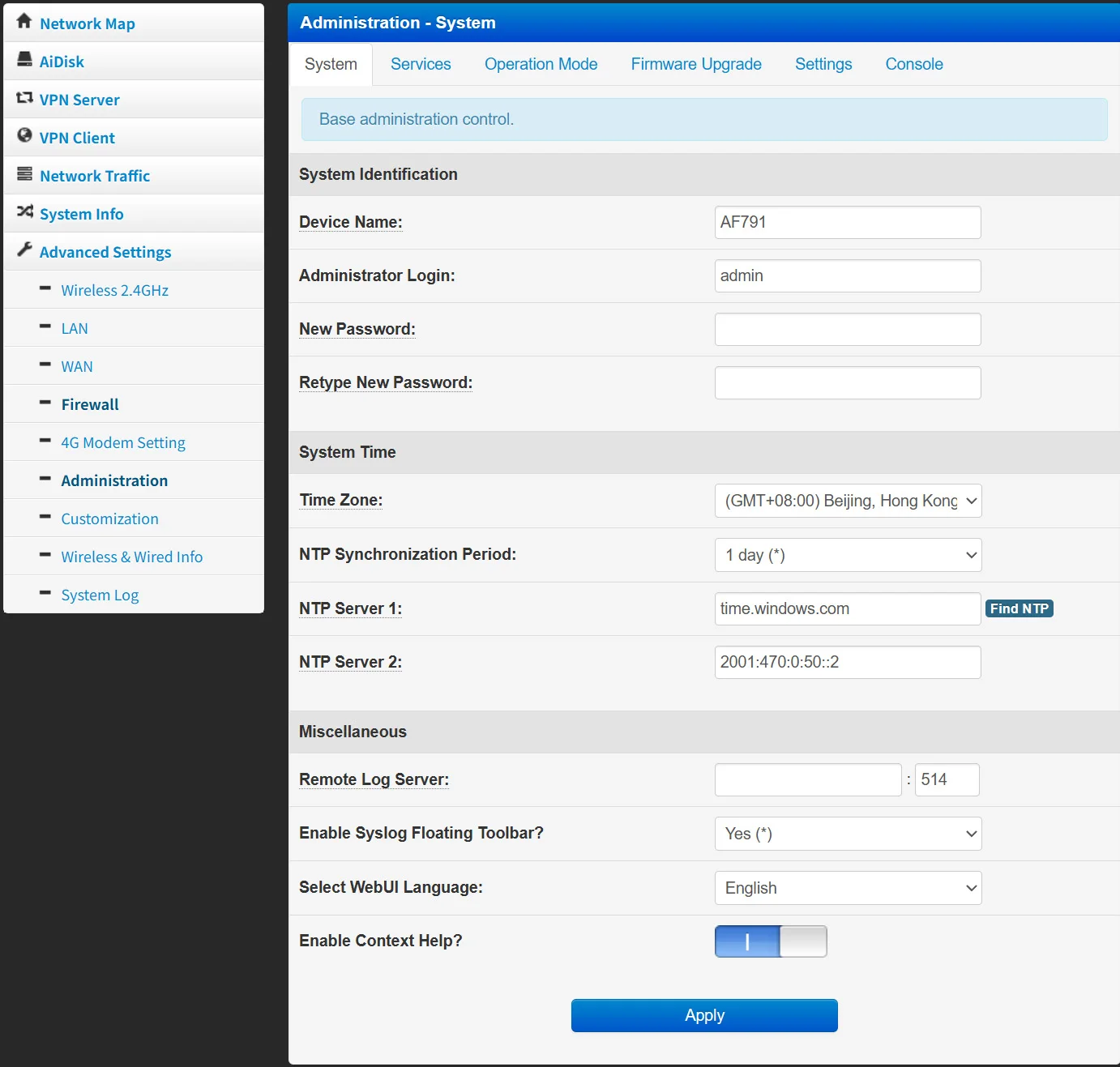
 10)Administration Setting
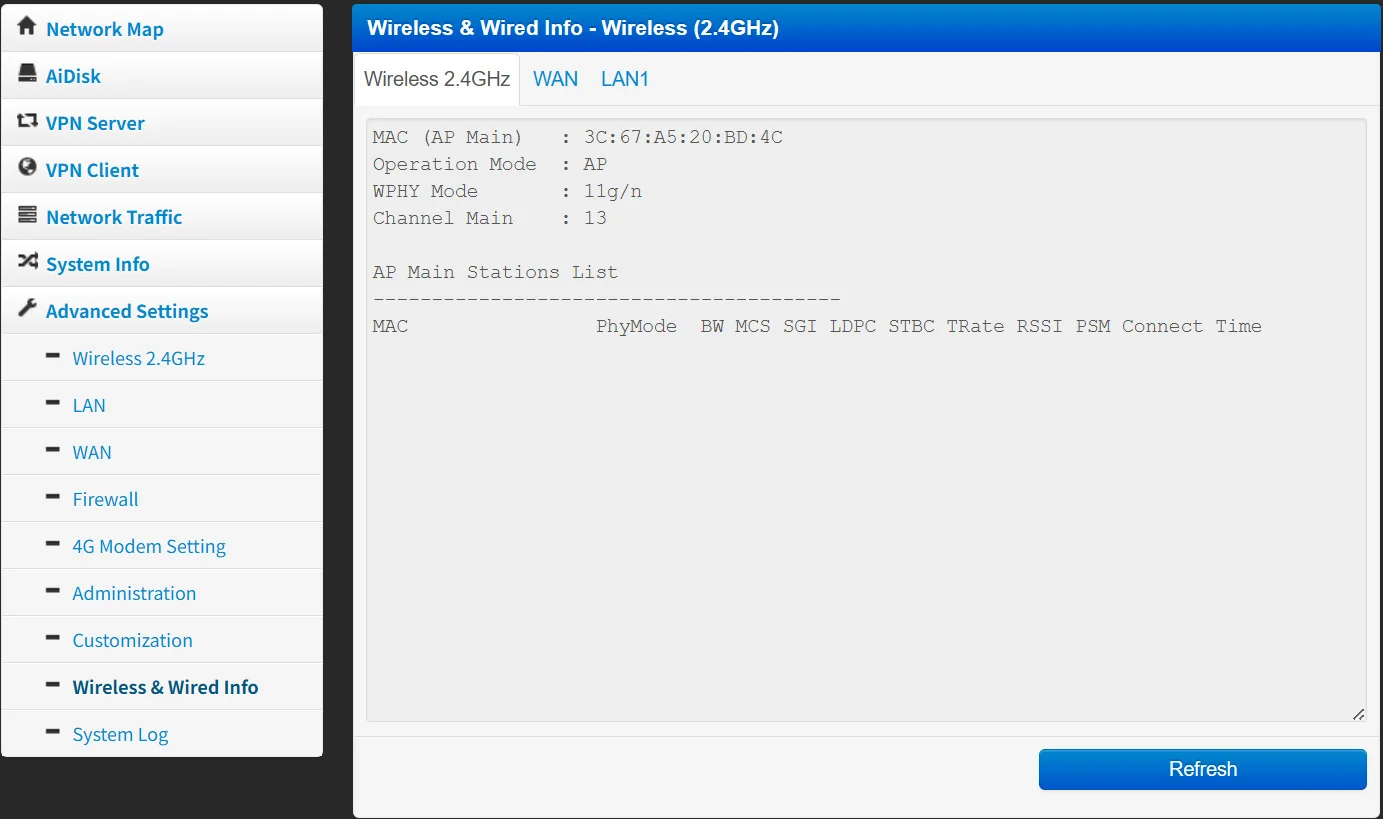
 11)Wireless/Wired info
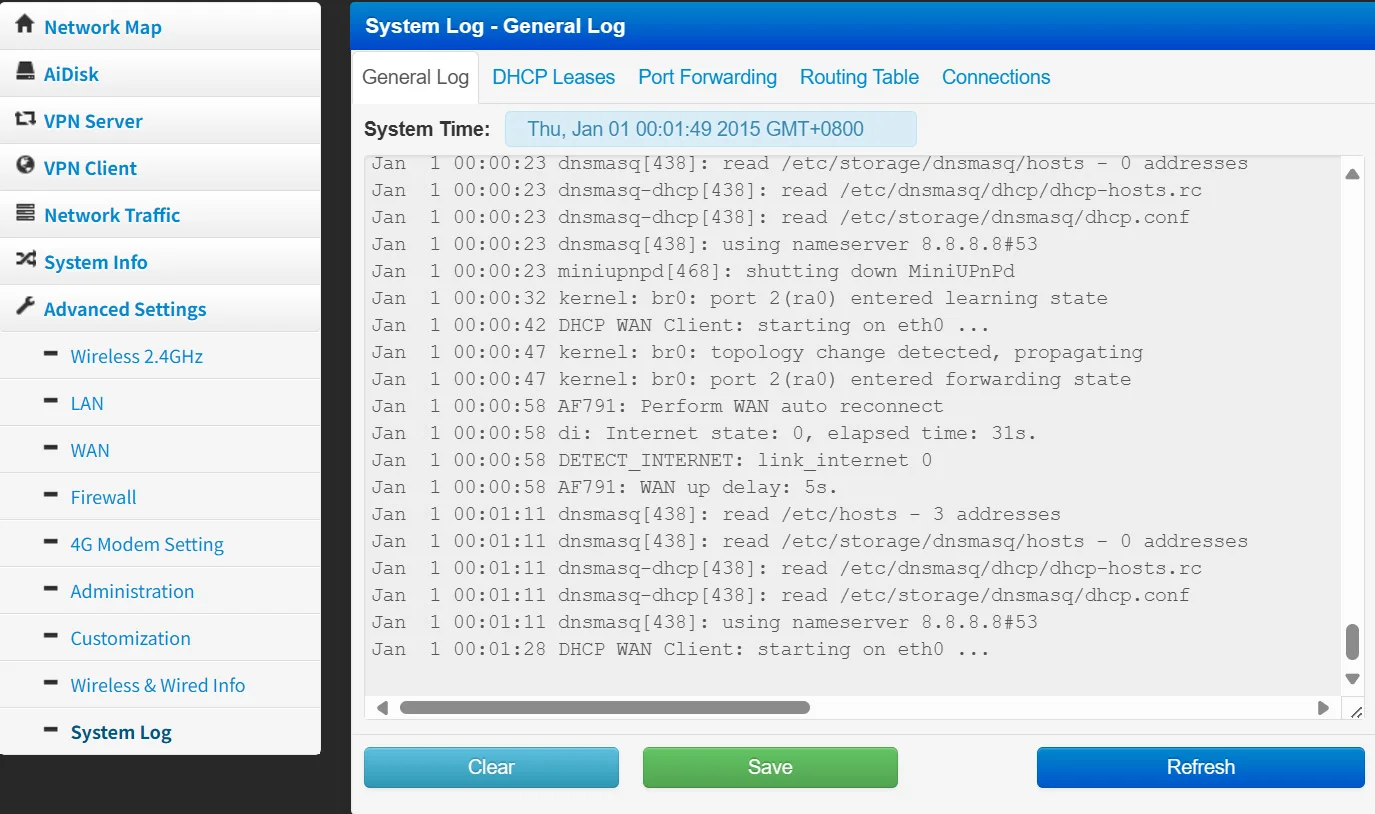
 12)System Log:Support log storage for router operations.
Package list
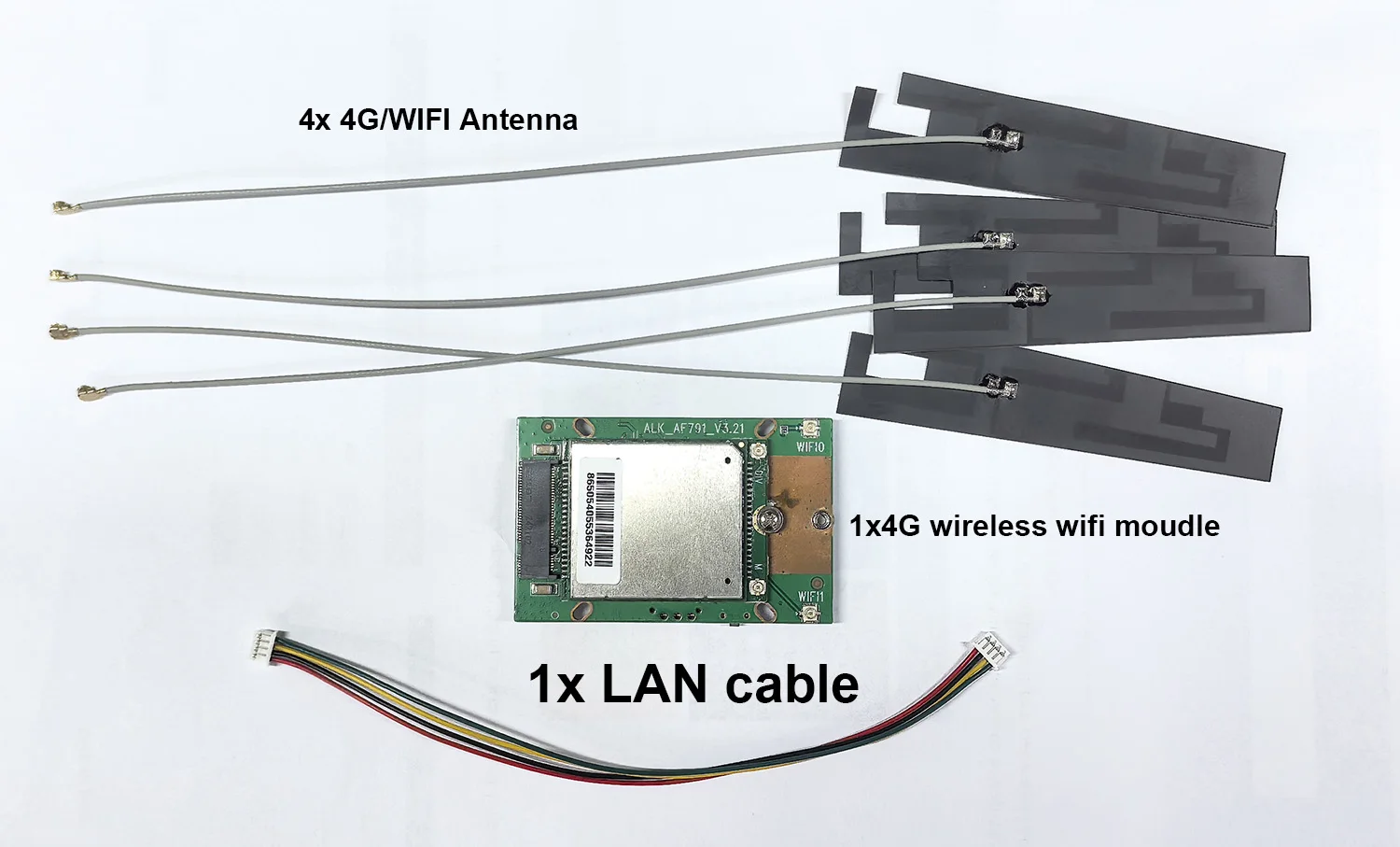
1x 4G wireless router Moudle
4x Antennas
1x connection cables